
▦
The GeoFix map in your car
GeoFix cartography appears on the CarPlay display with your GPS position and your route, just as it does in the app on iPhone.
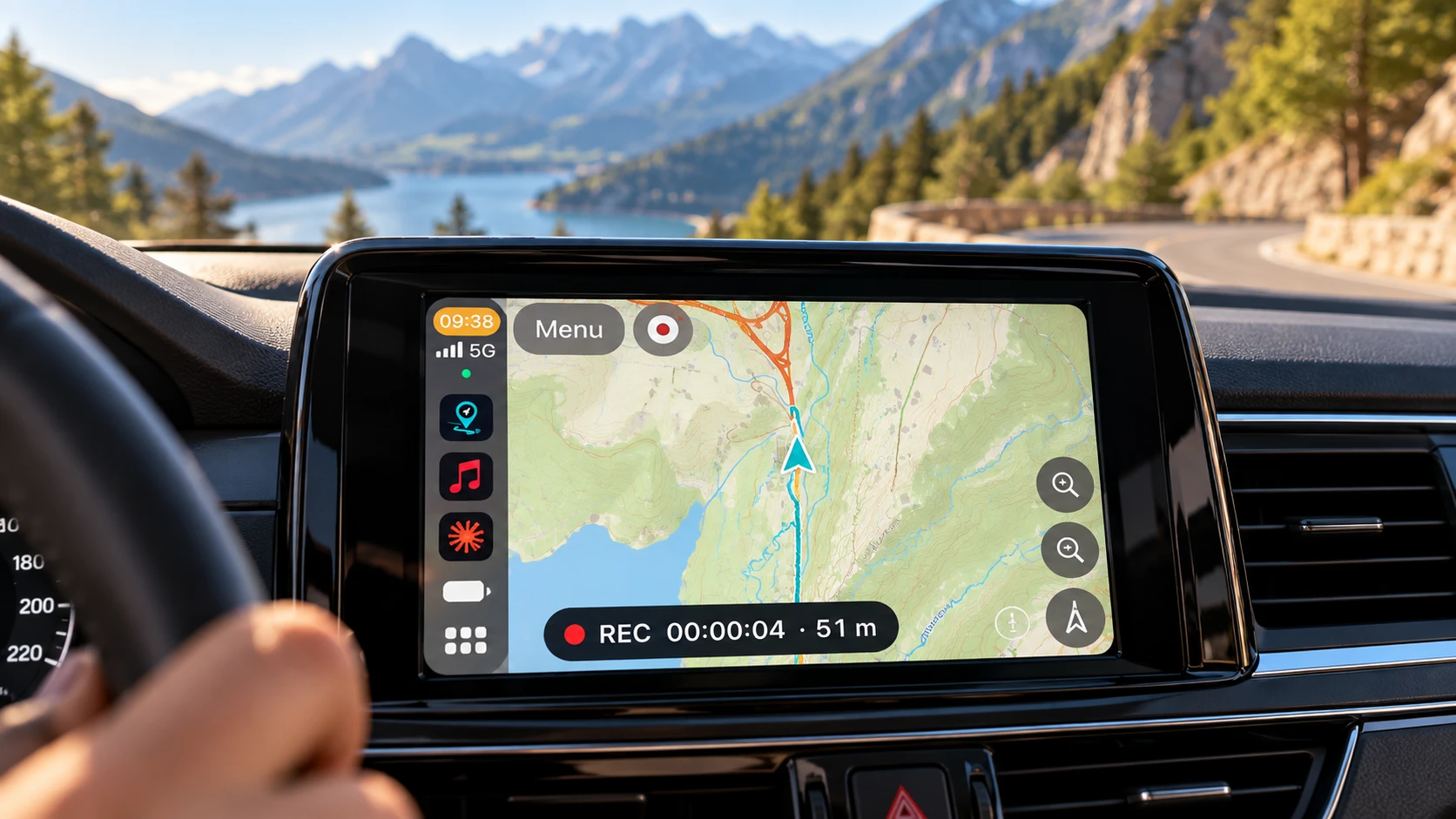
On CarPlay, GeoFix is a track and waypoint navigator. The GeoFix map appears on your car display: see where you are, see the track you are following, and get guidance drawn from the track itself — forward, or backwards with Track Back. Tracks, waypoints and recording stay within reach: recording and navigation share the same state with the iPhone.
The map, the track you are following and the controls that matter, on your car display.
GeoFix cartography appears on the CarPlay display with your GPS position and your route, just as it does in the app on iPhone.
Start a saved track in its original direction, or use Track Back to retrace the route you have already covered.
Guidance comes from the shape of the track you picked: where it changes direction, and how much of it is left.
Zoom the map in and out, switch between north up and your direction of travel, and jump back to your position with a control.
Open your track archive and your waypoints under Nearby, Recent and All, then start navigating straight from the display.
Start and finish a track recording from CarPlay, within the FREE or Premium limits. The track stays on your iPhone.
GeoFix can read out the track guidance as you drive. The announcements come from your iPhone and can be enabled or disabled from Settings on iPhone.
The map can follow the light or dark appearance of your car display, or stay on day or night if you prefer to decide yourself.
Recording and navigation share the same state: whatever you start on the iPhone you find in the car, and the other way round.
Yes. The car display shows the GeoFix map with your GPS position, the track you are following and your own references, with zoom, heading and recentre controls.
GeoFix on CarPlay is a track and waypoint navigator: it guides you along a GPS track you recorded or imported, forward or with Track Back, or to a saved waypoint. On a track, guidance is drawn from its geometry: the changes of direction and the distance left.
Yes. You can start a saved track in its original direction, or use Track Back to retrace the route you have already covered, with guidance drawn from the track.
Yes. You can start and stop recording from the car display. The track is saved and remains available on iPhone.
The list is organised into Nearby, Recent and All sections: you reach the point you need in a few taps and start navigating from the car display.
GPS, tracks, waypoints and navigation work with no connection. Online cartography does need one: with Premium you can download the areas you need and see the map offline too.
Save your tracks and waypoints, then find them on your car display when you set off.
Download on the App Store