
▦
Maps and Map Explorer
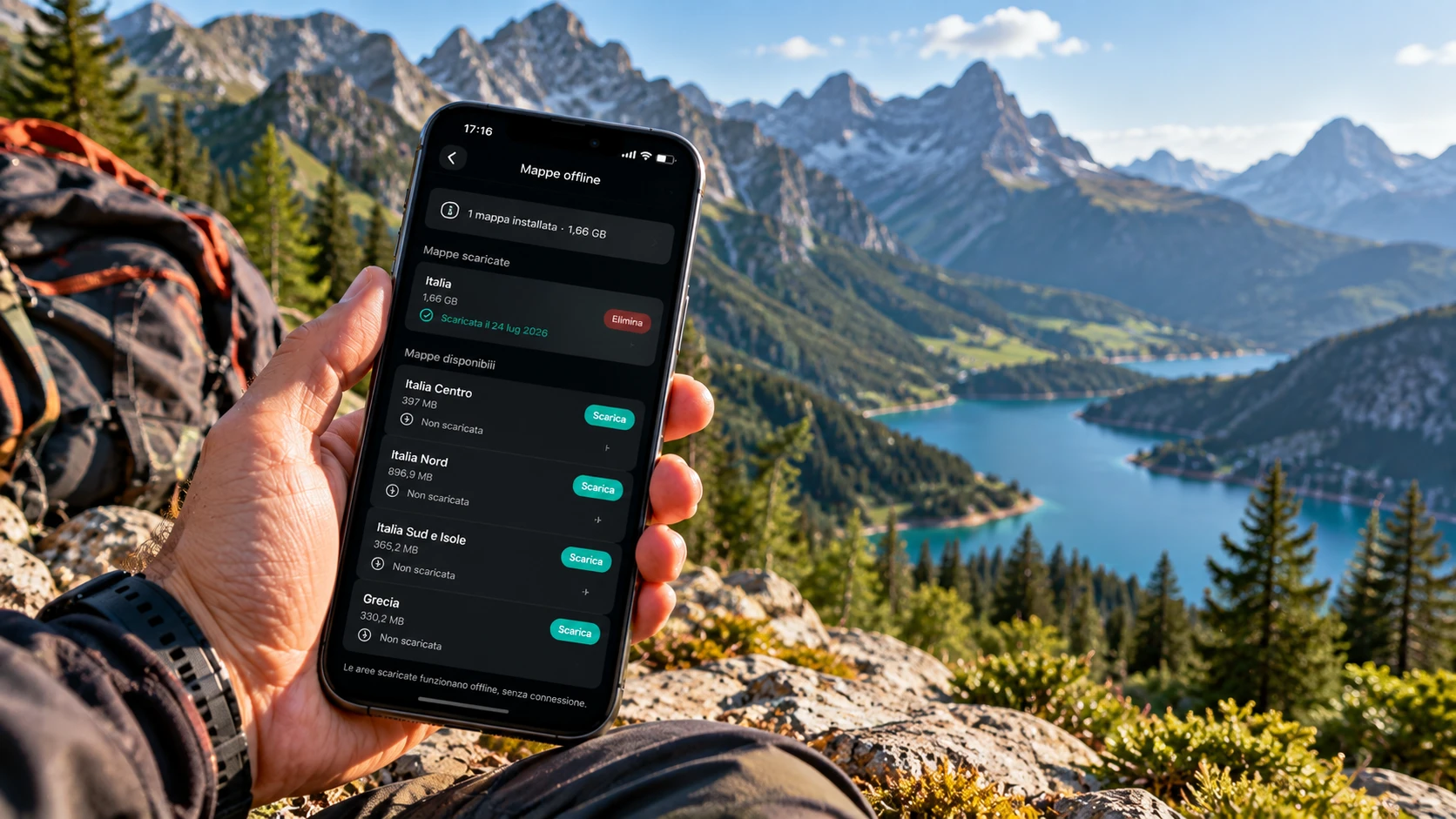
See your position, heading, tracks and waypoints on the map. With Premium you can download maps and use them offline.
GeoFix is built for hikers who want to see where they are on the map, record tracks, save GPS waypoints, import GPX files and retrace their route, with a focused interface designed for use on the trail.
Free basic version · Premium for unlimited waypoints and tracks, GPX, backup, Apple Watch and offline maps · Local data
On the trail you need a few clear things: seeing where you are on the map, finding your parked car, keeping track of your route, saving a shelter and navigating a junction.
The iPhone GPS chip works without a mobile data connection: waypoints, recording and navigation keep working with no signal. With Premium you can download maps in advance and keep browsing them offline on the trail.
Map, tracks, waypoints and navigation for hiking, trekking and outdoor walks, with a few clear controls to use during your outing.
See your position, heading, tracks and waypoints on the map. With Premium you can download maps and use them offline.
Record precise coordinates for your car, shelter, junction or outdoor spot. Rename and retrieve at any time.
Start recording before you head out and keep distance, duration and route points from your hike. The GPS track stays on your device, available offline.
Navigate to a waypoint or follow the recorded track, in reverse too, without having to remember every junction.
Import tracks and waypoints from GPX files prepared with compatible tools. Useful for following a route planned in advance.
Export your waypoints and tracks as GPX files. You can export waypoint selections or multiple tracks in a single GPX file.
Record a track from your wrist, transfer it to iPhone and navigate it in Follow Track or Track Back mode.
Real situations where a simple GPS tool makes a difference on the trail.
Record your route, save points of interest and use Track Back to retrace your steps.
When trail markers are sparse, the recorded GPS track becomes a reliable orientation reference.
Save your parking spot before heading out and find it with precision on the way back.
In areas where visual cues reduce and junctions multiply, a GPS track provides direct orientation.
Import a GPX file downloaded or prepared in advance and use it as a reference during your outing.
Save shelters, viewpoints and any outdoor reference you want to find again on future outings.
GeoFix is a personal tool: your waypoints and tracks stay on your device, ready when you need them. It works best alongside good preparation: know the trail, set off with a charged battery and bring the maps and equipment that demanding hikes call for. To have the map with no signal too, download the area beforehand with Premium. In an emergency, rely on the emergency services.
The car display shows the GeoFix map with your position and the track you are following: you can follow a track forward or with Track Back, browse saved waypoints and tracks, and record from CarPlay. In the car, GeoFix is a track and waypoint navigator.
GeoFix uses GPX to work with files created by or shared with compatible tools. Compatibility depends on how third-party tools read and write GPX files.
In the app, waypoints and tracks stay on your device. The site may process technical data as described in the Privacy Policy.
Short answers about GeoFix as a hiking GPS app for iPhone.
Yes. No registration or account is required to use the essential features. Waypoints and tracks are saved locally on the device.
Yes. GeoFix records the GPS track of your outing with distance, duration and route points, available offline on the device.
Yes. GeoFix supports importing tracks and waypoints from compatible GPX files.
Yes. You can export individual waypoints, selections and tracks in GPX format. You can also export multiple tracks in the same file. Some features require Premium.
Yes. The Maps tab shows the map with your position, heading, tracks and waypoints. You can browse it online, and with Premium you can download the areas you need and use them offline.
Yes, but only if you downloaded them beforehand with Premium. GPS, recording, waypoints and navigation keep working offline in any case.
GeoFix is an essential GPS tool for everyday outdoor use: hiking, trekking, walks in the woods and outings that start from the car. On technically demanding hikes it works alongside dedicated GPS devices, precision cartography and the right safety equipment.
Save important points, record your track and keep the essential GPS references of your route under control.
Download on the App Store