
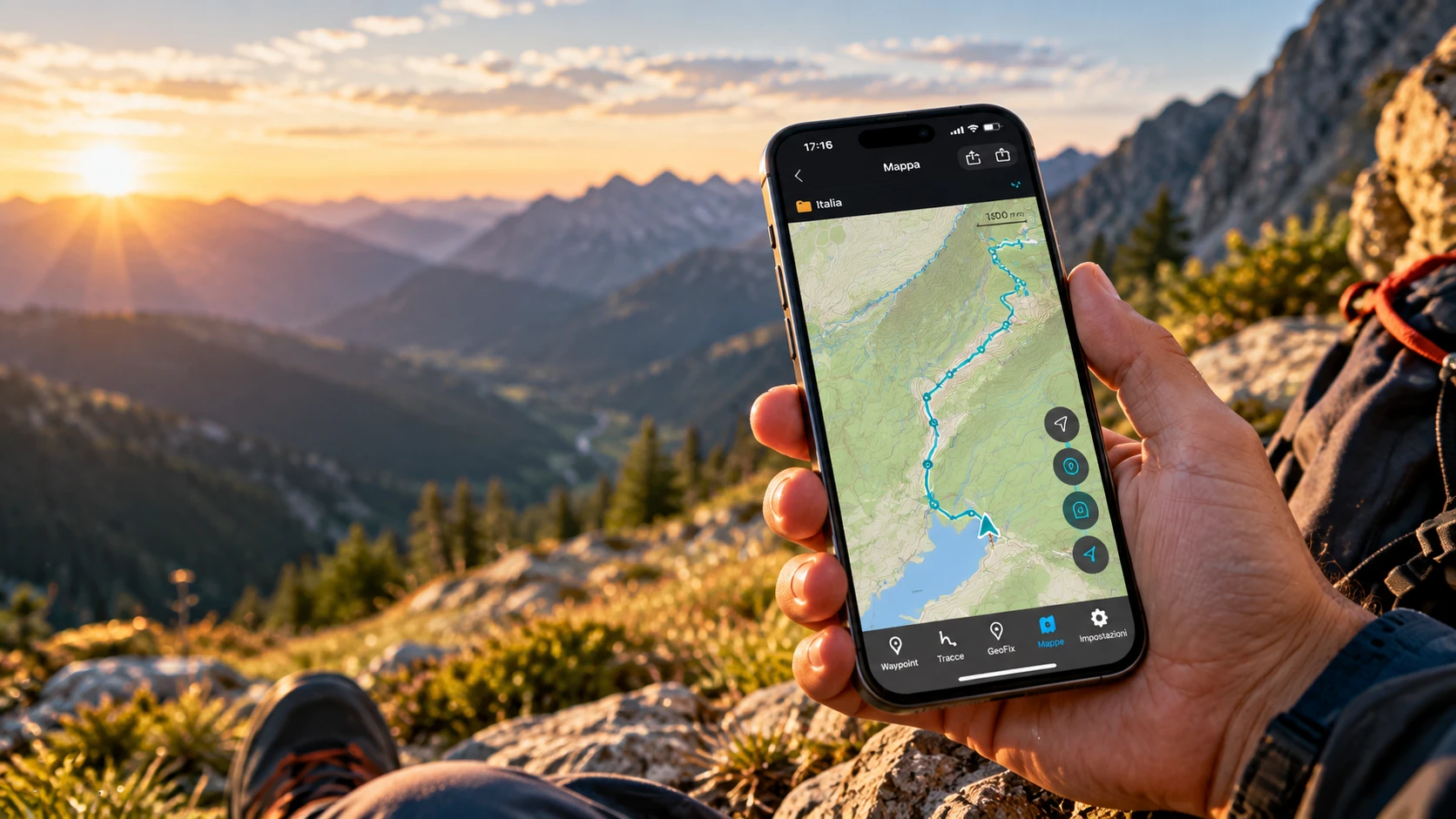
GeoFix · Outdoor GPS app
Some places don't have an address.
Find them, reach them, and take the way back with you.
- iPhone
- Apple Watch
- CarPlay
Free to start, on the App Store · No account
Start wherever you like.
GeoFix is with you before, during and after your outing. Every moment is a way in: use only what you need, in the order you choose.
Before you go
Out there
Once you're back
GeoFix World
Your next outing starts on GeoFix World.
It is the part of the GeoFix ecosystem where you discover places, routes and experiences. One possible way in, never a required step: you can just as well start from a GPX file, a waypoint or a recording.
When you have a route file, GPX or .geofix, you import it into GeoFix with Premium.
Real screens
GeoFix, as it really is.
A waypoint saved in a collection, the area around it, the map: three screens from the app on iPhone, untouched.
-
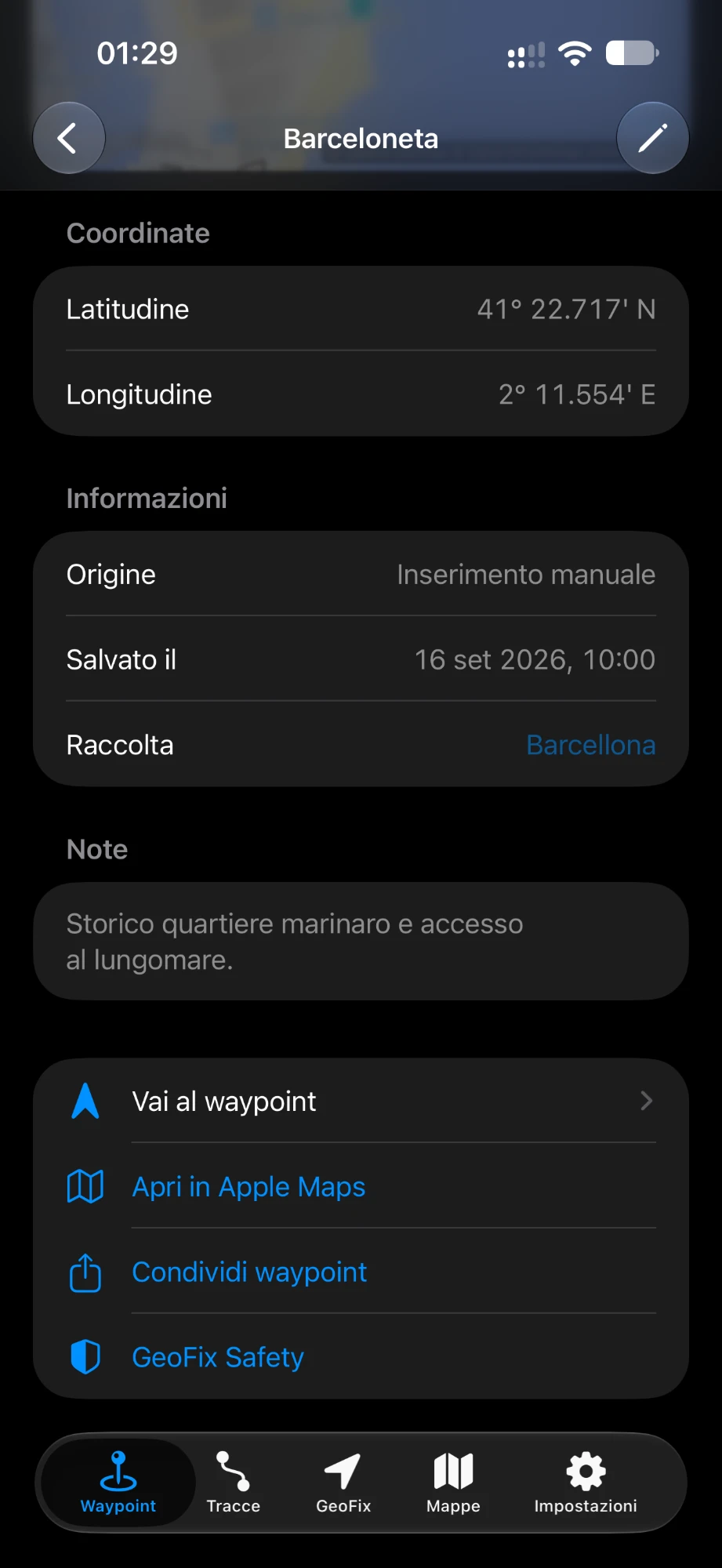
The waypoint
Coordinates, date, collection and notes. From here you reach it with arrow and distance, share it or check GeoFix Safety.
-
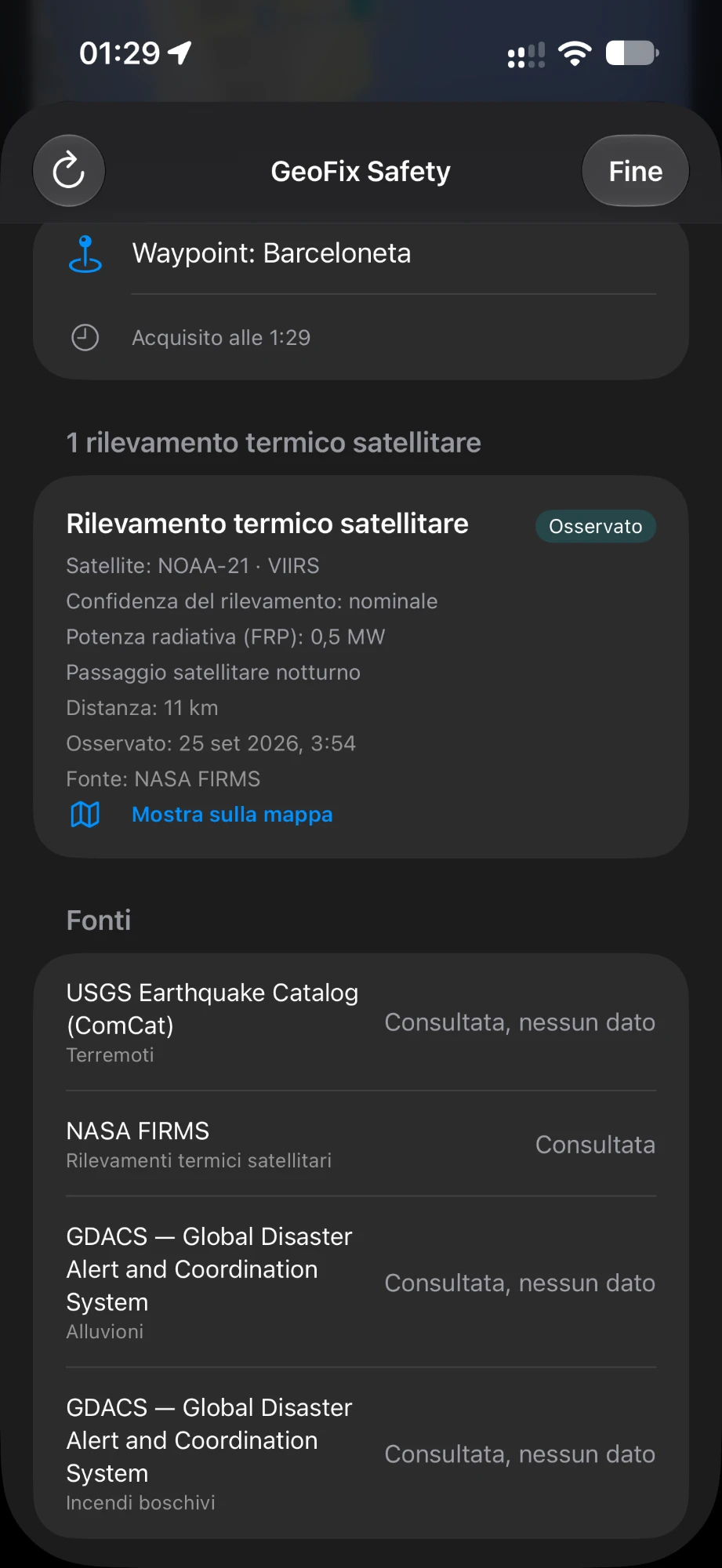
The area around it
GeoFix Safety lists what the sources publish around the point, with source and distance: here a NASA FIRMS satellite thermal detection 11 km away.
-
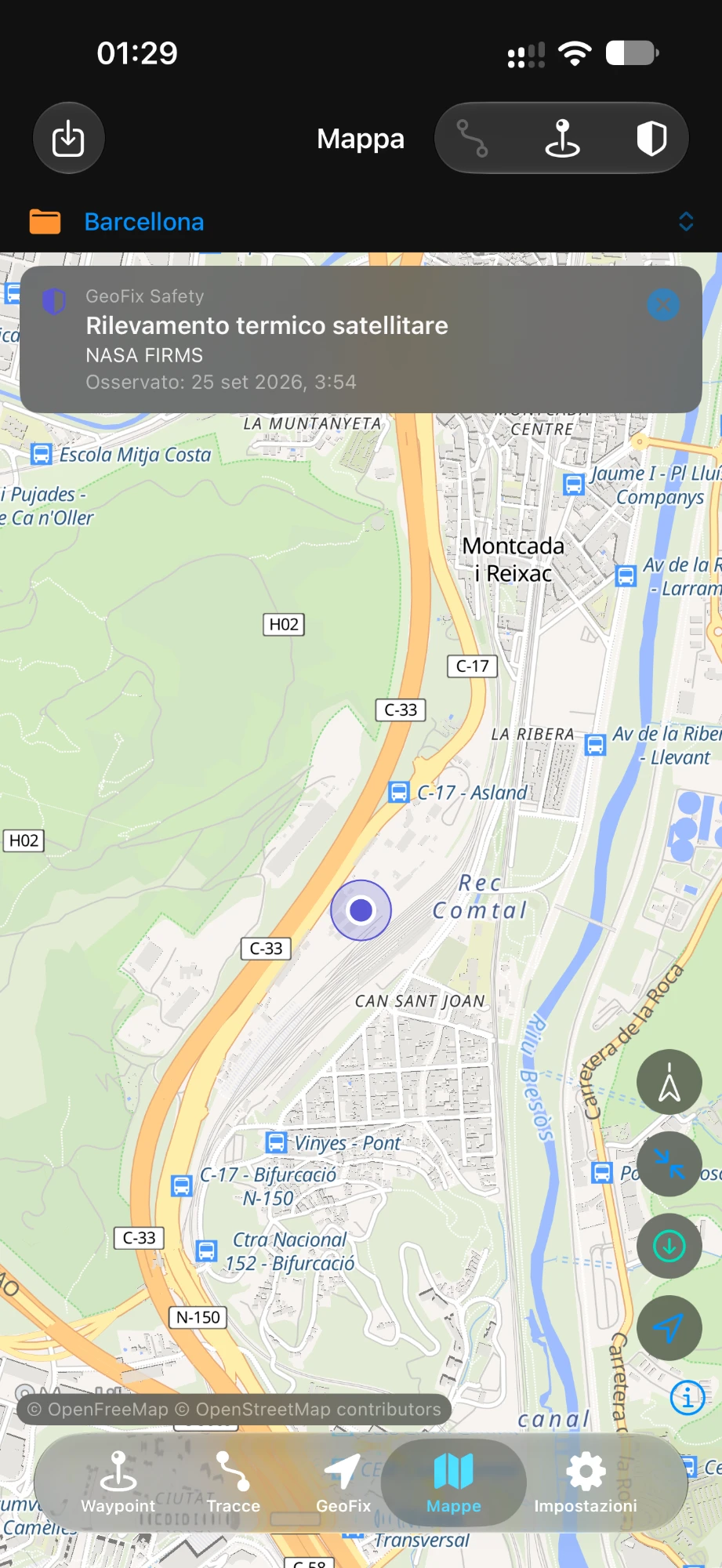
On the map
The collection on the map, with the observation highlighted.
Before you go
Choose where to go, shape your route, take what you need.
Plan
Draw your route on the map.
Point by point, you see right away how long it is. Save it as a planned route, ready to follow out there, and edit it whenever you like; you can also start from a track you have already recorded.
On iPhone and iPad.
Prepare
Everything you'll need, already in your pocket.
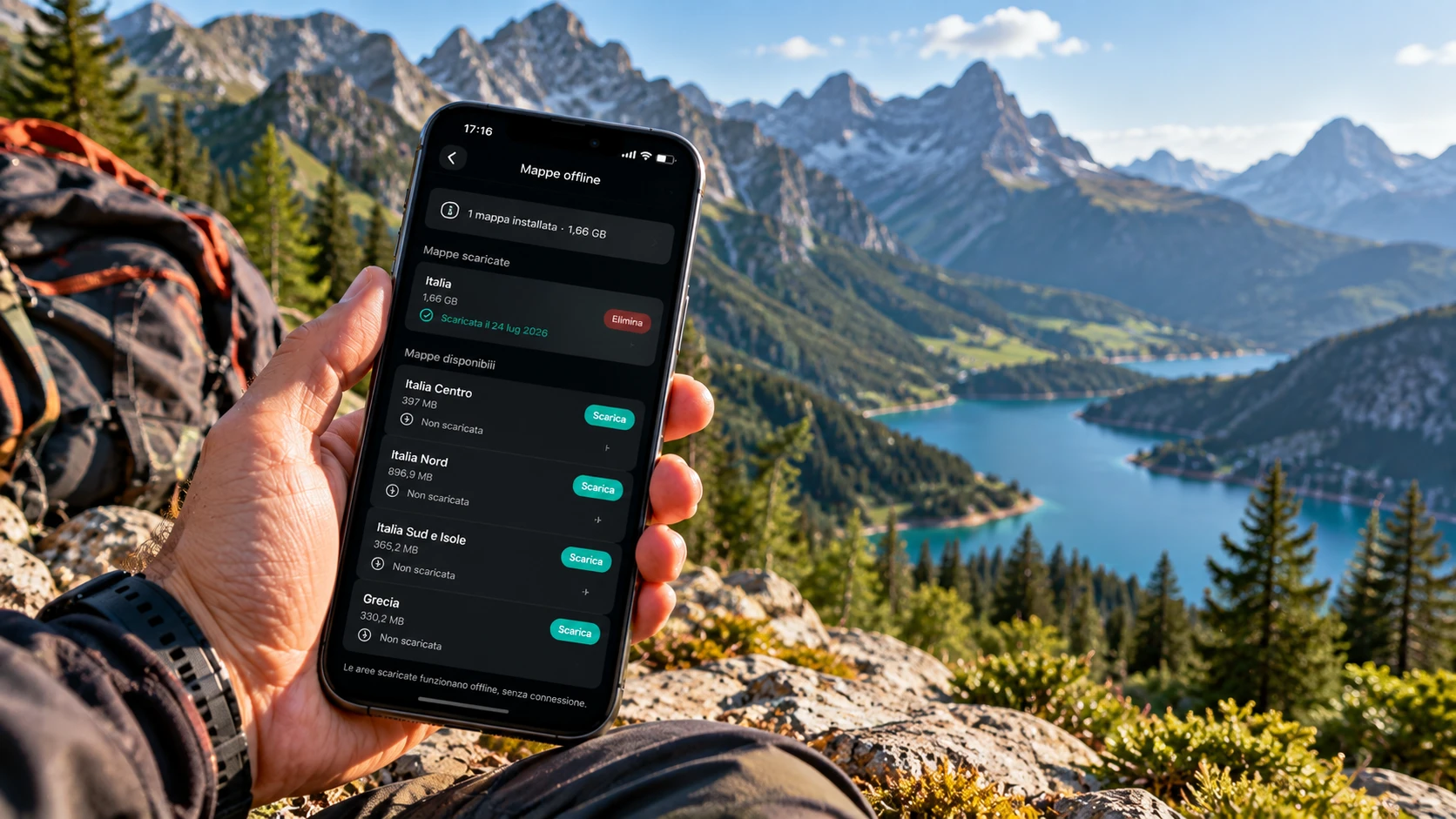
- Maps for offline use PremiumDownload the map of a country or area before you leave: out there you can use it without a signal. The online map is free.
- GPX tracks and .geofix packages PremiumImport the route you already have and follow it in its original direction or in reverse.
- Waypoints and collectionsSave the points you need, even by entering coordinates, and organise them in collections with the tracks of your outing.
GeoFix Safety
Know more about what lies around your route.
Check the information available about the area around your location, a waypoint, a track or a collection: before you go and, with a connection, out there too.
- Earthquakes
USGS data - Floods and wildfires
GDACS data - Satellite thermal detections
NASA FIRMS data
Out there
Look around, follow your way, find the way back.
Explore
The map with your location, and the points that matter.
- Where you are, where you're facingThe map shows your location and heading, with your tracks and waypoints.
- Save the spot, record the trackA waypoint for the car, a junction, a hut; recording carries on even with the screen off.
- GeoFix AR, to get your bearingsFrom the map, open the camera and see the waypoints of your collection around you, with name and distance. It's exploration: no navigation starts on its own.

Navigate
Reach a point or follow a track.
-
iPhone
Compass and map along the track, with an alert when you leave the route; arrow and distance to reach a waypoint.
-
Apple Watch
The Watch has its own navigation, with arrow and distance: to a waypoint or along a track, Track Back included. The iPhone connection is Premium.
-
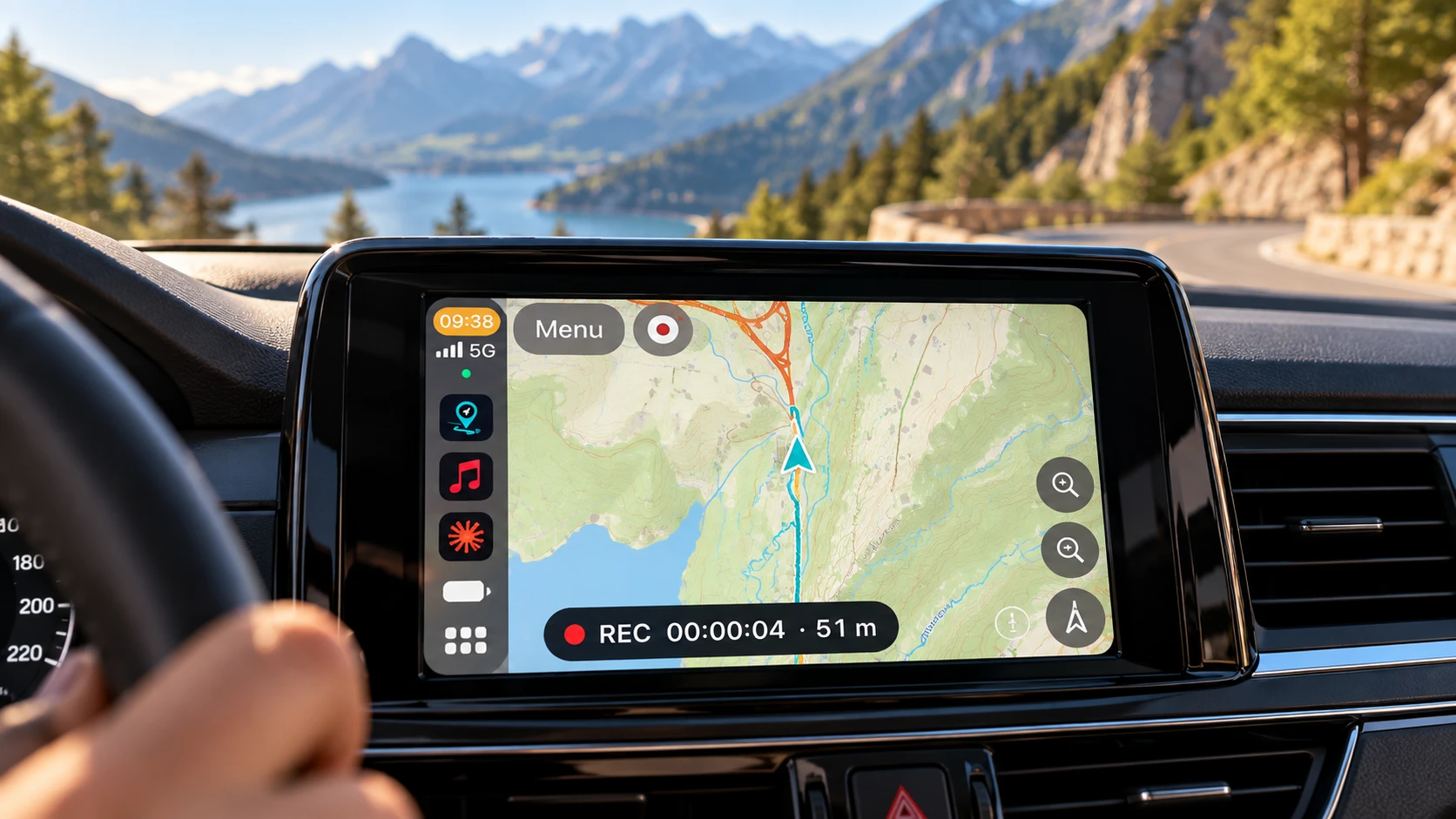
CarPlay
On the car display GeoFix is a track and waypoint navigator: it guides you along the track you choose or to a saved waypoint, and records the drive.
Change the view. The route goes on.
With GeoFix AR, the navigation you are following, to a waypoint or along a track, can also be seen through the camera. Go back to the compass or the map without interrupting it.
Return
Take the way back with you.
Reaching a place is only half the journey. Record the track as you go: Track Back brings you back along the same way. Or save the spot where you start and return with arrow and distance.
- iPhone
- Apple Watch
- CarPlay
- GeoFix AR
On iPhone, Track Back is included in the free version. Track Back with GeoFix AR
- On the way out, you record the track.
- Track Back follows it in reverse.
- You get back to where you started.
Schematic illustration, not an app screen.
Free entry points
Three outings, three ways to use GeoFix.
-
You already have a GPX
PrepareNavigateReturn
Import it with Premium, follow the track and head back with Track Back.
-
A place to find again
ExploreNavigate
Save the waypoint or enter its coordinates, then reach it with arrow and distance.
-
You set off without a route
ExploreReturnKeep
Record as you walk, come back with Track Back and find the outing in your archive.
The pictograms are illustrative, not app screens.
Once you're back
A route you've walked can stay with you.
Every journey leaves a trace. In GeoFix it stays yours, in your device's archive, and you share it only if you want to, as a file or a message. For your next outing, GeoFix World has places, routes and experiences to start from.
Keep
Your outings stay yours.
Every recorded track stays in your archive with its date, distance, duration and route on the map; every waypoint with its name and your notes. You organise them in collections and, with Premium, back up your whole archive.
Your data stays on your devices
Waypoints, tracks and collections are saved on the device: no account is needed and GeoFix does not upload them to its own servers. They only leave the device when you export them, share them or send them to your Apple Watch; if you use GeoFix Safety, the sources consulted receive the area to analyse. Backups are files you keep wherever you choose. The network is used for online maps, map downloads, GeoFix Safety and App Store purchases. Privacy Policy
Frequently asked questions
The short answers you need before downloading GeoFix.
Does GeoFix work without internet?
Yes. GPS, track recording, waypoints and navigation work without a connection. Maps are available offline once you have downloaded them with Premium; without a download, map data requires a connection.
What is free and what does Premium include?
For free you get the online map, navigation, Track Back, Expedition, 3 waypoints and 1 saved track. Premium adds unlimited waypoints and tracks, map downloads for offline use, GPX and .geofix package import and export, the Apple Watch connection and full backup.
Where can I find ready-made routes?
Routes and experiences can be explored on GeoFix World (geofix.world). In GeoFix you import GPX files and .geofix packages with Premium.
Does it work on Apple Watch?
Yes. From the Watch you record tracks and save waypoints that move to your iPhone, head to a waypoint and follow a track, forward or with Track Back, with an arrow and the distance. The Apple Watch connection requires Premium.
What kind of outings is GeoFix made for?
Hikes, treks and trips: it gives you the map with your position, records tracks and lets you follow them, saves waypoints and brings you back with Track Back. On demanding outings it works alongside topographic maps and the equipment the route calls for; before you set off, always check the route, the conditions and your equipment.
Is there a GeoFix app for Android?
GeoFix for Android is in development and is not available on Google Play yet. Today GeoFix is available for iPhone, iPad, Apple Watch and CarPlay through the App Store.